Turn Your Recipes Into Recurring Revenue
PLATR helps food creators turn recipe content into a premium subscription app their audience actually uses every week.
You bring the audience. PLATR helps you keep them engaged, retained, and paying monthly.
Recipe creators are stuck with one-off products and static formats
Growing an audience is hard enough. Monetising it through products that fans actually keep using is even harder. For many food creators, the default option is still a static ebook or PDF. That can generate sales, but it rarely creates recurring income or long-term product usage.
Likes and Saves Don’t Pay the Bills
Engagement can grow your reach, but it does not create dependable recurring revenue. A large audience only becomes a business when there is a product people keep paying for.
The PDF Ebook Treadmill
A recipe ebook is usually a one-time transaction. To earn again, creators often need to plan, design, launch, and promote another product from scratch.
Static Files Frustrate Your Fans
PDFs are harder to use in real life. They do not help with weekly planning, shopping, or cooking flow, and they often get opened once and forgotten.
Creators do not need another one-off file. They need a product fans come back to every week.
See the Better ModelStop selling static PDFs. Start building a recurring revenue layer.
PLATR turns recipe content into a premium native app your fans download from the App Store or Play Store. Instead of relying only on one-off ebook launches, creators can offer a subscription product designed for repeat usage that gives fans more reason to stay.
Predictable Monthly Income
Turn recipe buyers and followers into monthly subscribers instead of relying only on one-off ebook launches for revenue spikes.
Zero Technical Overhead
PLATR delivers a true native app on the App Store and Play Store — your subscribers download a real app, not a website link. You do not need to build software, manage developers, or assemble a tech stack.
Retention Through Utility
Fans do not just subscribe for access to recipes. They stay because planning, shopping, and cooking tools make the app useful every single week.
Use PLATR Instead of or Alongside Your Ebook
You do not have to choose one or the other. Keep selling your ebook if it already works for your audience. Use PLATR as the recurring subscription layer around your recipe business.
Launch one-off ebooks when you want campaign revenue, and use PLATR to keep earning from the same audience month after month. Give subscribers a better long-term home for your recipes than a static PDF.
Why not just use a website, blog, or PDF?
There are plenty of ways to publish recipes. The real question is which format gives your audience the best experience and gives your business the best chance of recurring revenue.
Scroll to compare all formats →
| Feature | Static Ebook / PDF | Website or Blog | Generic Membership Area | PLATR★ |
|---|---|---|---|---|
| One-off sales | Well suited | Possible | Less common | Works alongside ebooks |
| Recurring revenue potential | Not designed for this | Not a primary strength | Possible | Designed for this |
| Weekly planning utility | Not included | Rarely included | Rarely included | Built-in meal planner |
| Shopping list workflow | Not included | Rarely included | Rarely included | Built-in shopping list |
| Cooking usability | Static format | Varies | Varies | Designed for in-kitchen use |
| Mobile-first experience | Often a poor fit | Varies by setup | Varies by platform | Native app on App Store & Play Store |
| Retention-oriented design | Not a strength | Not a primary focus | Partial | Central to the product |
| Offline access | If downloaded | Requires internet | Requires internet | Offline-first native app |
| Setup support for creators | Self-managed | Self-managed | Self-managed | Founder-led onboarding |
PLATR is not a website, a PDF, or a web link your fans bookmark and forget. It is a real native app your subscribers download from the App Store or Play Store — designed to turn recipe content into a product they come back to weekly.
See What a Subscriber Could Be WorthSee what a subscriber could be worth
Compare one-off ebook revenue with recurring subscription revenue using your own pricing assumptions.
Drag for a rough estimate, tap a common audience size, or enter an exact number.
At these settings, one subscriber is worth $86.40 over 12 months after PLATR's 20% share. That is 3.5x the value of a $25 ebook customer.
Calculations shown after PLATR's 20% revenue share and before payment processor / app marketplace fees.
Revenue is not guaranteed. This calculator is a planning tool to compare one-off ebook economics with subscription economics.
Launch without doing the heavy lifting
For a limited time, early creator partners get founder-led onboarding and recipe migration support.
You should not need to spend weeks reformatting recipes or learning a backend just to launch a better product. Early partners get hands-on setup support so they can launch faster with less friction.
Share your current recipe content
Existing recipe ebooks, PDFs, and recipe libraries can be used as the starting point.
We structure and upload everything into PLATR
Recipes are organised, formatted, and prepared for the in-app experience for you.
Launch with a premium subscription product
You get a branded app experience without needing to manage product setup yourself.
Looking ahead: A self-serve creator admin hub is planned for the future. Right now, early partners benefit from white-glove setup.
Test PLATR with your biggest fans first
Not sure whether your audience would want a recipe subscription app? You do not need to guess.
For the right creators, PLATR can support a small trial with a limited group of your most engaged fans. Give them 30 or 60 days to try the experience, gather real feedback, and decide whether this should become a bigger part of your business.
Choose a small test group
Start with a limited number of your most engaged fans, such as your top 100 supporters or another small warm audience segment.
Give them 30 or 60 days
Let them use the PLATR experience long enough to form a real opinion about its value and usability.
Collect real feedback
Use the pilot to understand whether your audience likes the format, finds it useful, and wants more of it.
Decide how to move forward
If the pilot works, you can move ahead with more confidence. If it is not the right fit, you can pause and roll back without committing to a wider launch.
Worth noting: This pilot approach is available for the right early creators and is subject to availability. It is designed for creators who want to validate audience fit before making a wider commitment.
This gives creators a practical way to test demand before making a bigger decision.
Built for food creators with an audience
PLATR is designed for creators who already have recipe content people want and want a better way to monetise it over time.
If you already have recipe content and an audience that trusts your food, PLATR helps turn that into a more durable subscription business.
See If PLATR Fits My BusinessA subscriber experience built for real weekly use
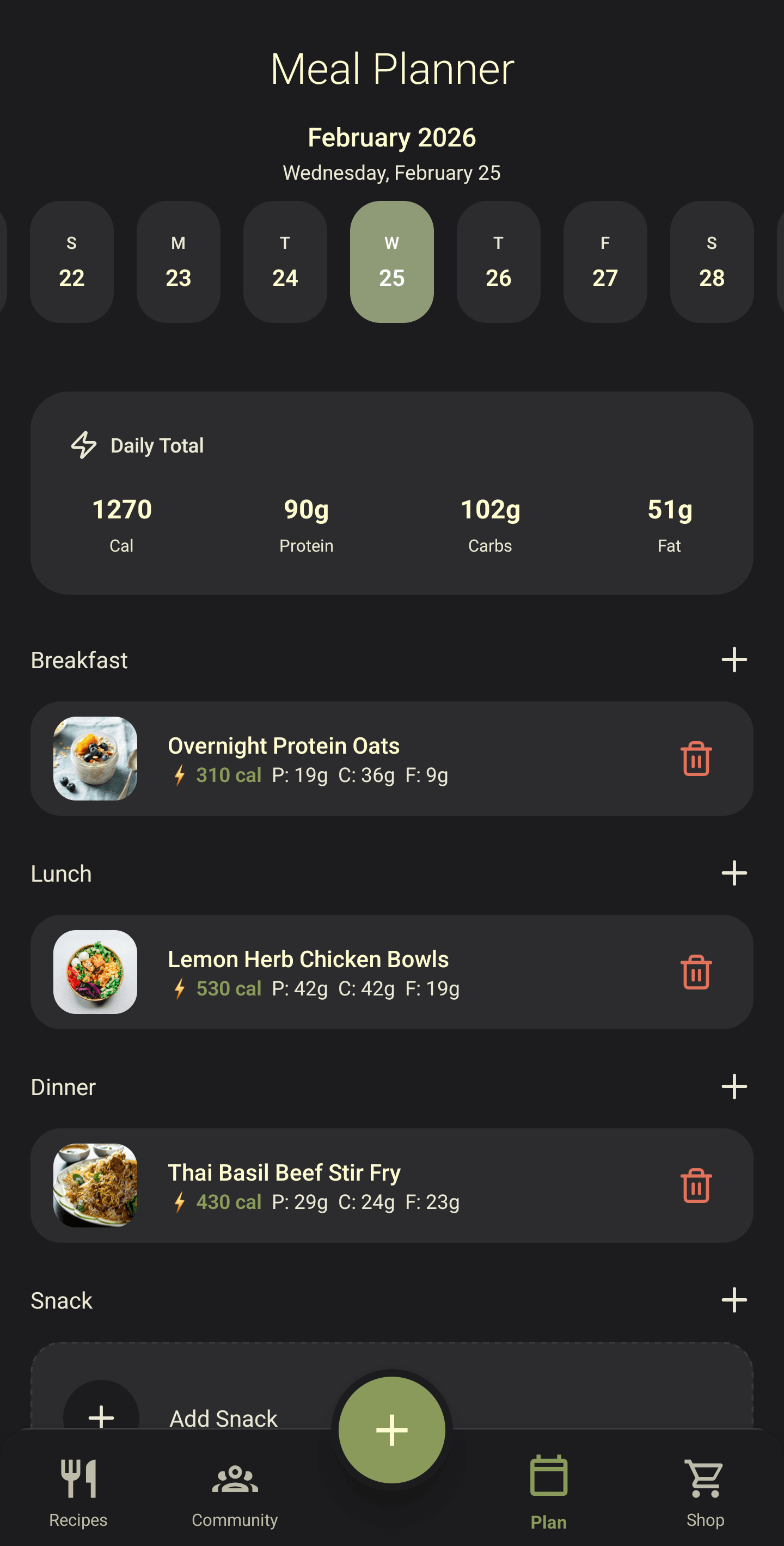
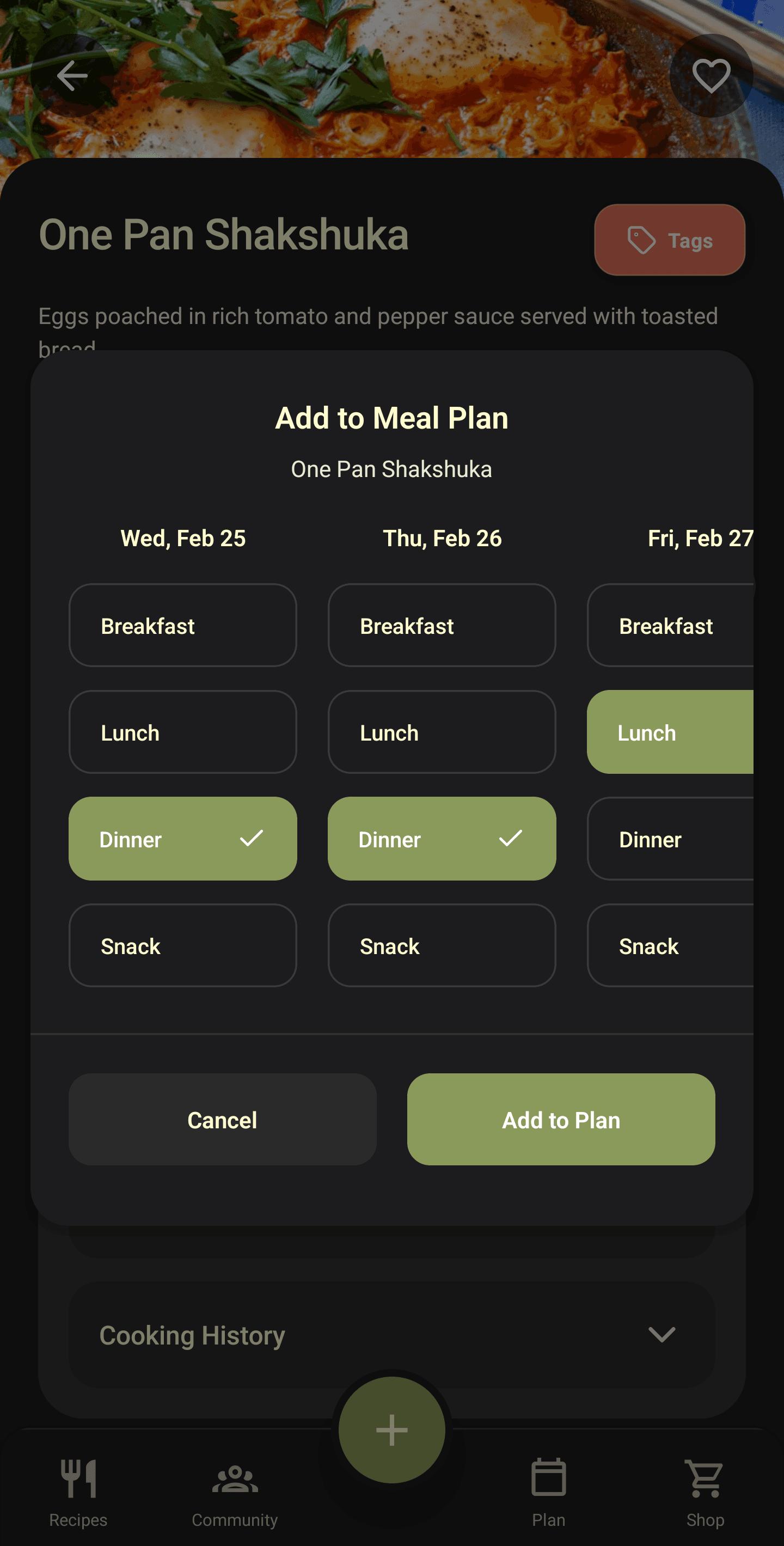
PLATR is not just a content vault. It is a product experience designed to help fans discover recipes, plan meals, shop more easily, and actually cook inside the app. That is what makes a subscription more valuable than a static file.
01 / 10
Give your recipes a premium branded home
Instead of living inside a forgotten PDF, your content lives in a polished app environment that feels more valuable and easier to return to.
Increases perceived value02 / 10
Make browsing recipes fast and enjoyable
Help subscribers find meals they actually want to cook without digging through folders, files, or old downloads.
Drives repeat engagement03 / 10
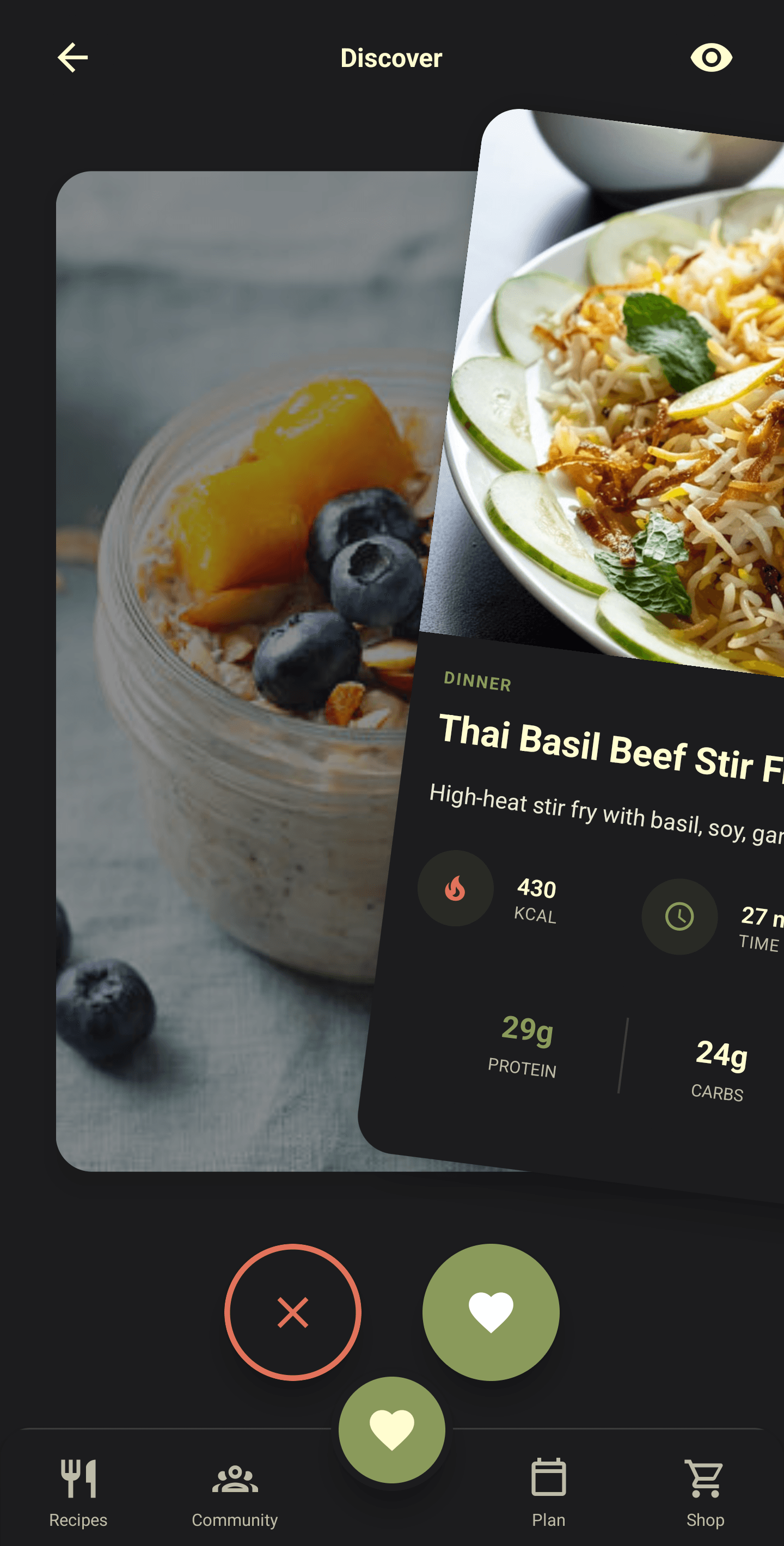
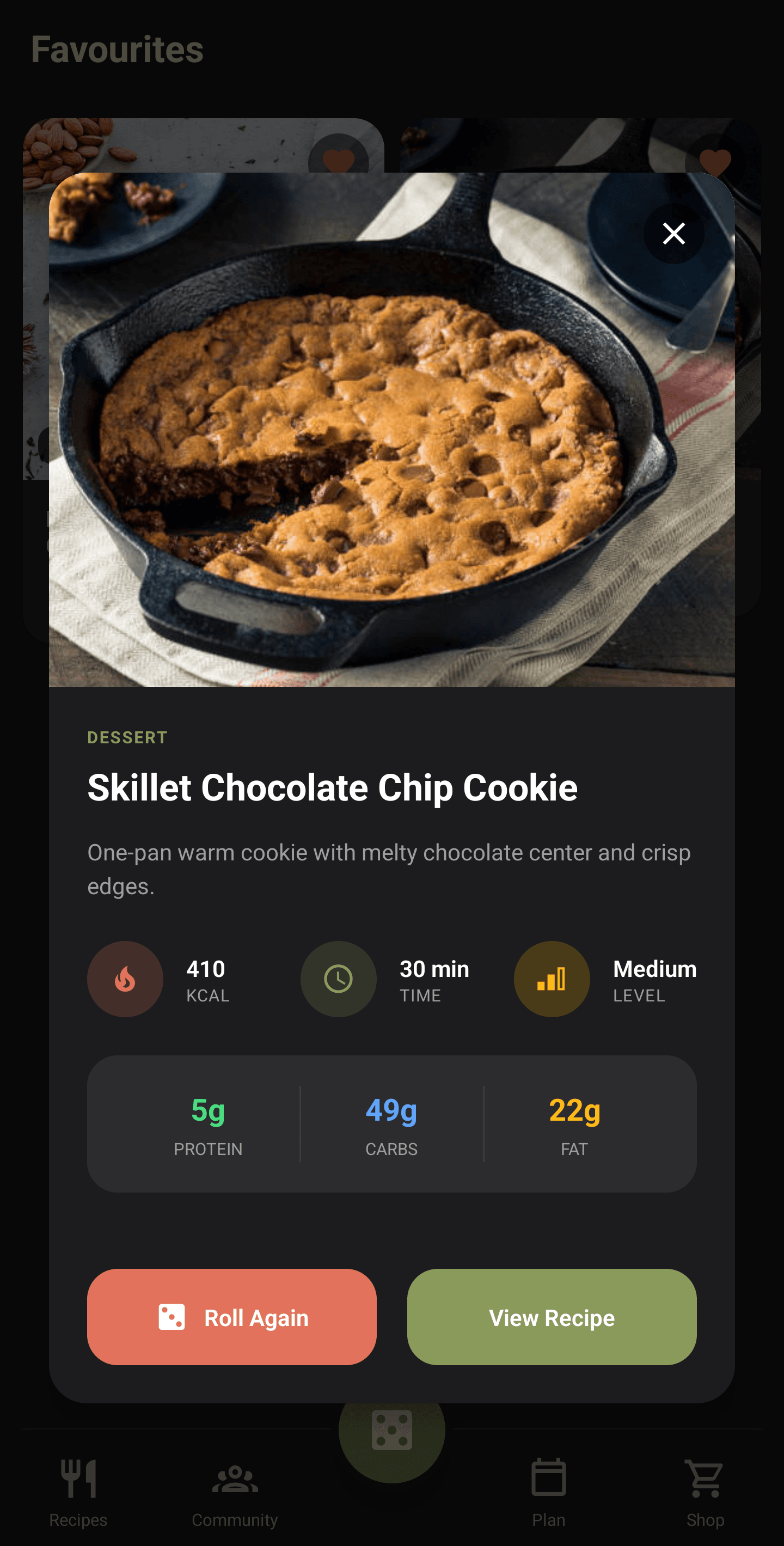
Help fans decide what to make tonight
Too much choice creates friction. PLATR helps reduce that friction so your content feels useful in the moment, not just aspirational.
Reduces friction04 / 10
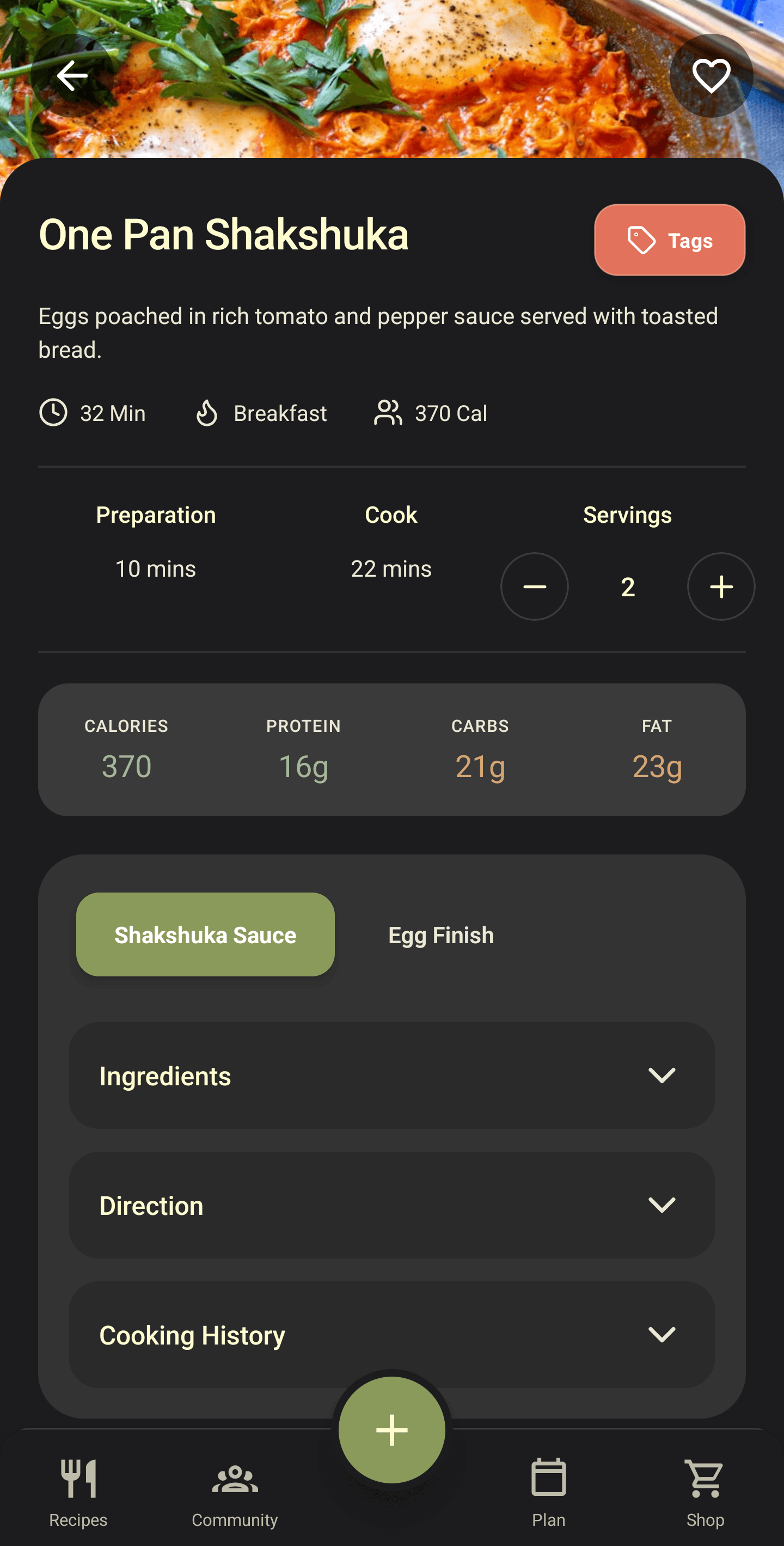
Make every recipe easier to use in real life
Present recipes in a clear, polished format with the kind of structure that supports actual cooking, not just passive reading.
Improves product quality05 / 10
Turn recipes into a weekly planning system
When subscribers build their week around your content, your product becomes part of their routine rather than a one-time purchase.
Drives weekly usage06 / 10
Make weekly planning frictionless
Let users build out multiple meals quickly so the subscription becomes useful beyond simple recipe browsing.
Supports routine behaviour07 / 10
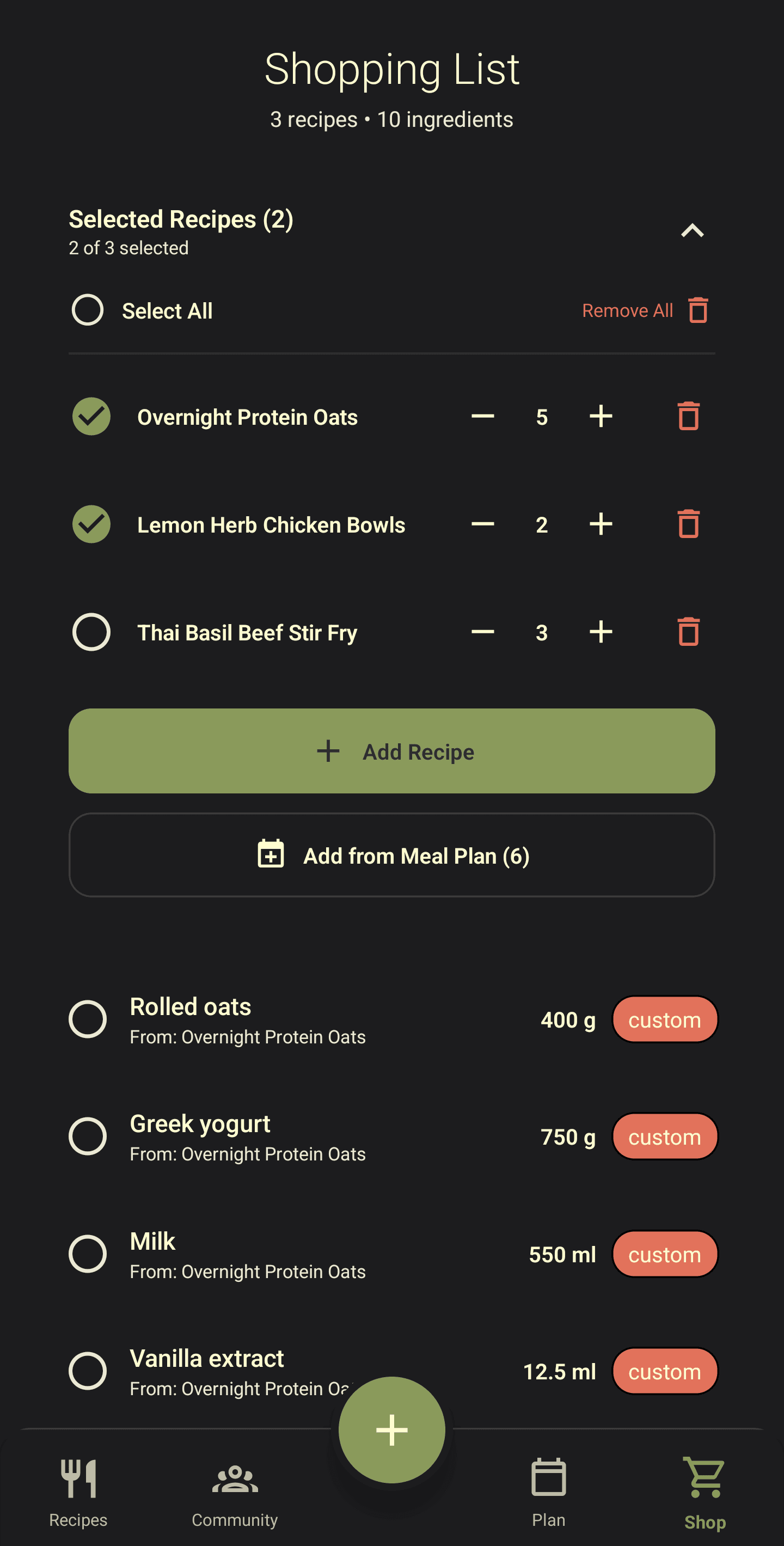
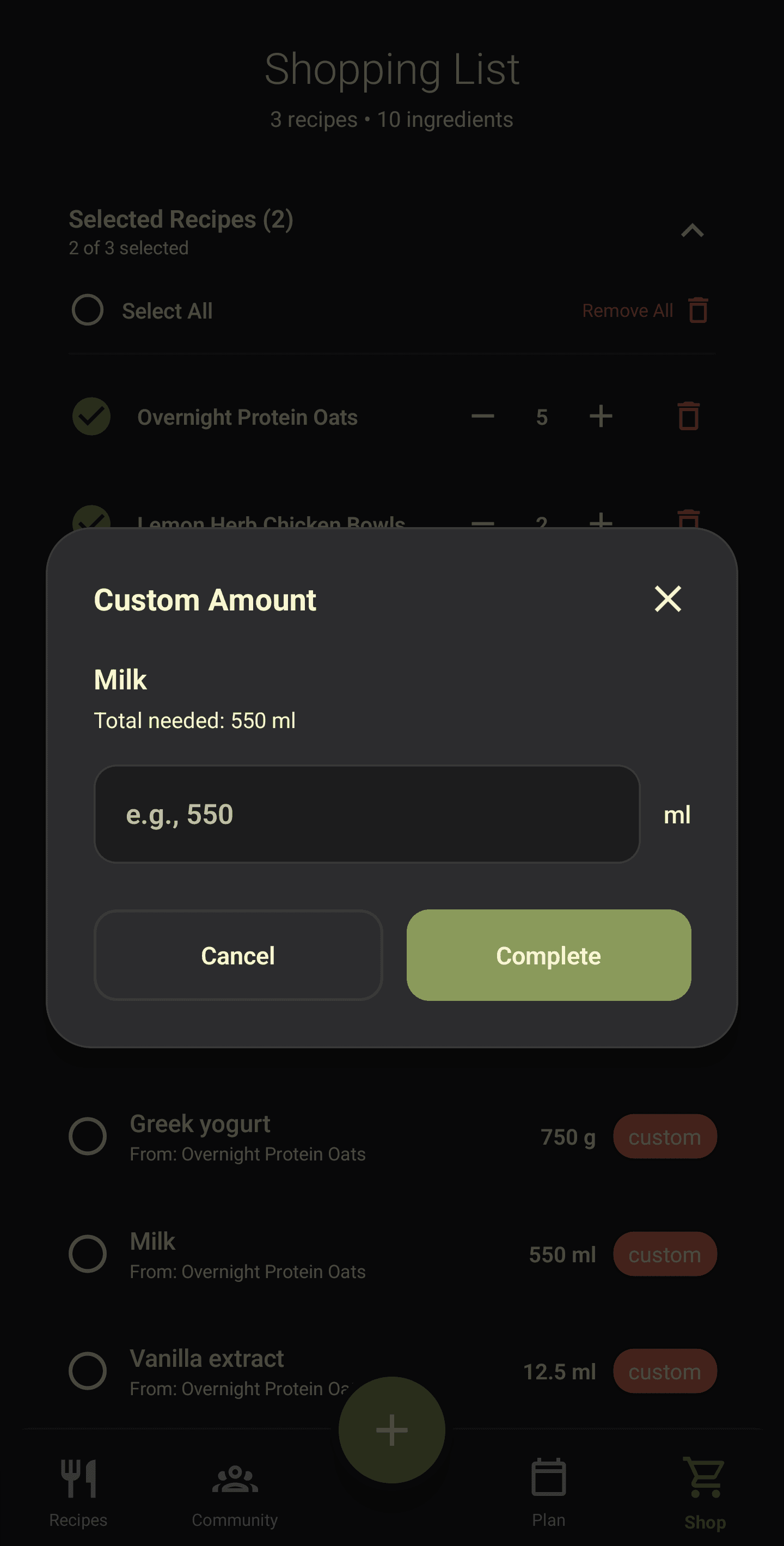
Turn meal planning into grocery action
The jump from inspiration to execution becomes easier when users can move from recipes to shopping in the same product.
Adds everyday utility08 / 10
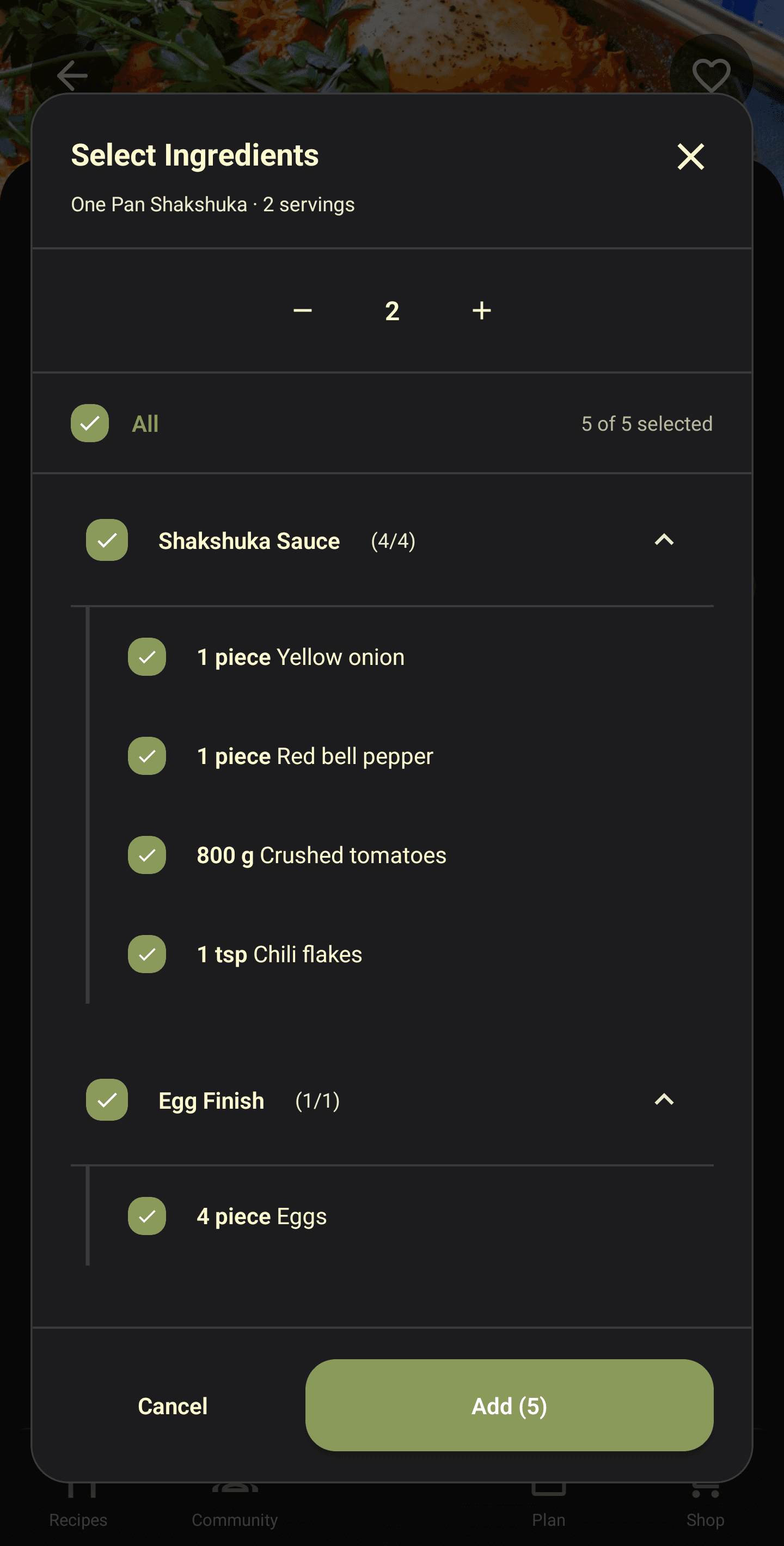
Give users more control over what they buy
Subscribers can manage what they need with less friction, which makes the experience more practical week after week.
Reduces friction09 / 10
Make the app fit real kitchens and real households
Flexible amounts make recipes more useful in everyday life and help users adapt planning to what they already have.
Makes the tool more useful in real life10 / 10
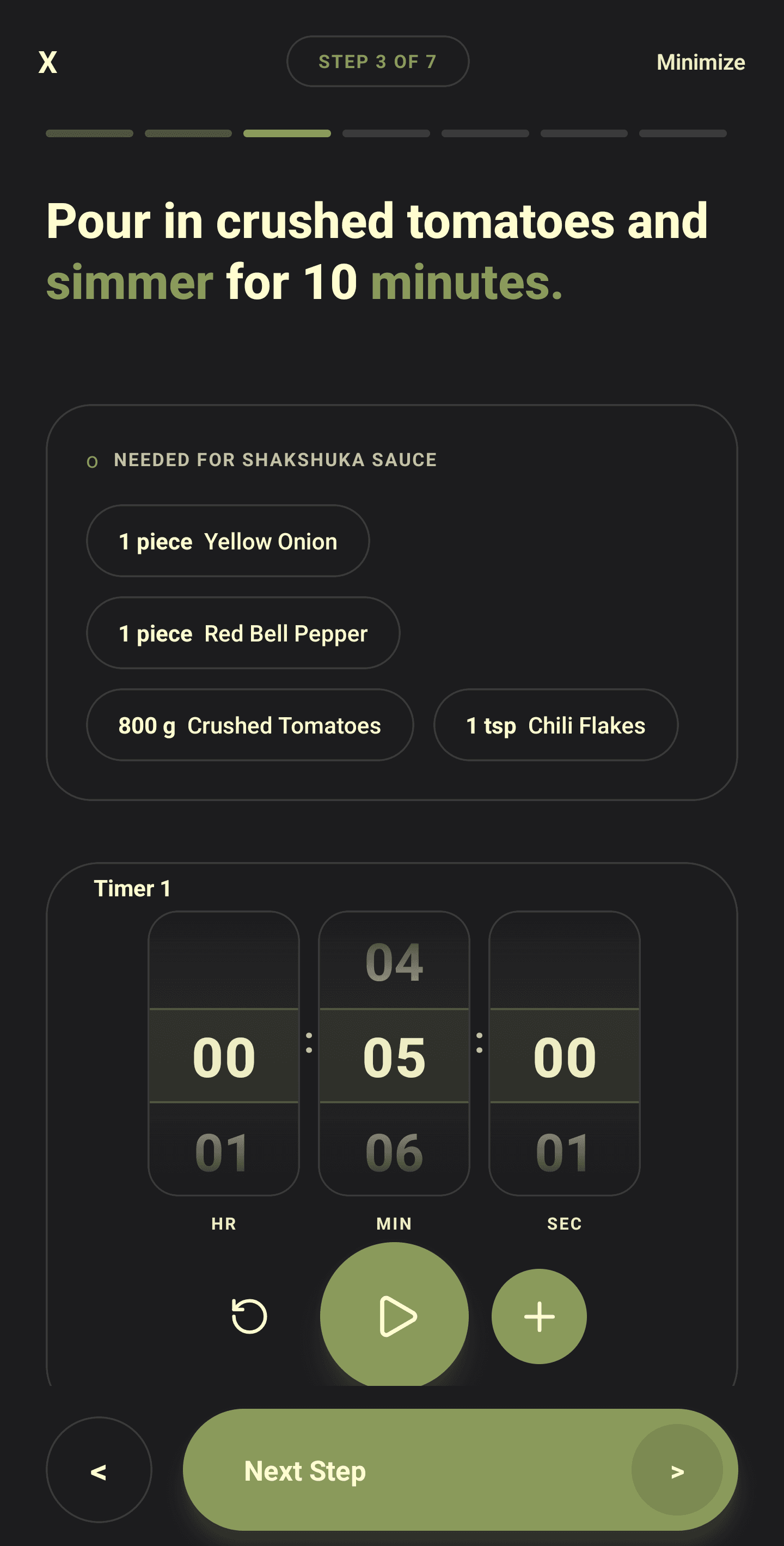
Support the cooking process, not just the recipe lookup
A more guided cooking experience helps your content become part of the user’s kitchen routine instead of staying static on a page.
Becomes part of kitchen routine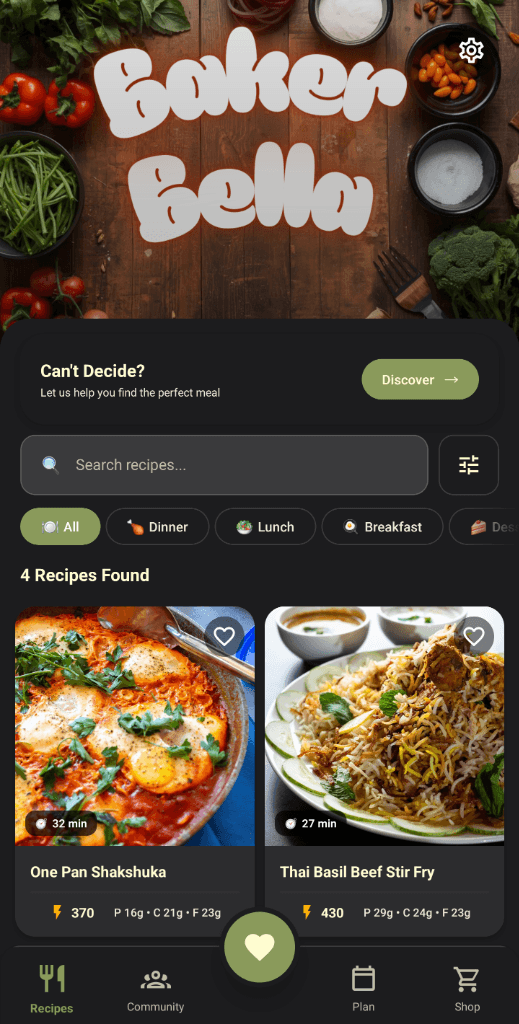
Home Screen
Home Screen
01 / 10
Give your recipes a premium branded home
Instead of living inside a forgotten PDF, your content lives in a polished app environment that feels more valuable and easier to return to.
Increases perceived value02 / 10
Make browsing recipes fast and enjoyable
Help subscribers find meals they actually want to cook without digging through folders, files, or old downloads.
Drives repeat engagement03 / 10
Help fans decide what to make tonight
Too much choice creates friction. PLATR helps reduce that friction so your content feels useful in the moment, not just aspirational.
Reduces friction04 / 10
Make every recipe easier to use in real life
Present recipes in a clear, polished format with the kind of structure that supports actual cooking, not just passive reading.
Improves product quality05 / 10
Turn recipes into a weekly planning system
When subscribers build their week around your content, your product becomes part of their routine rather than a one-time purchase.
Drives weekly usage06 / 10
Make weekly planning frictionless
Let users build out multiple meals quickly so the subscription becomes useful beyond simple recipe browsing.
Supports routine behaviour07 / 10
Turn meal planning into grocery action
The jump from inspiration to execution becomes easier when users can move from recipes to shopping in the same product.
Adds everyday utility08 / 10
Give users more control over what they buy
Subscribers can manage what they need with less friction, which makes the experience more practical week after week.
Reduces friction09 / 10
Make the app fit real kitchens and real households
Flexible amounts make recipes more useful in everyday life and help users adapt planning to what they already have.
Makes the tool more useful in real life10 / 10
Support the cooking process, not just the recipe lookup
A more guided cooking experience helps your content become part of the user’s kitchen routine instead of staying static on a page.
Becomes part of kitchen routineRecipes get them in. Utility keeps them subscribed.
A subscription becomes more compelling when it supports real weekly behaviour. Recipes may attract the customer, but tools and routine are what make the product harder to cancel.
Plan meals
Your recipes become part of the subscriber’s weekly routine rather than something they buy once and forget.
Build shopping lists
The app helps turn inspiration into grocery action, which makes it useful beyond simple browsing.
Cook inside the app
A better cooking experience gives subscribers more reason to keep coming back to your content.
Use it offline
Recipes, meal plans, and shopping lists work without an internet connection — in the kitchen, at the store, or anywhere else.
Recurring revenue becomes more believable when your content becomes part of someone's real weekly behaviour.
See If This Fits My BusinessWhy early creators are a strong fit for PLATR
PLATR is early, hands-on, and built specifically for recipe creators who want more than static files. At this stage, the advantage is not scale. It is direct support, transparent economics, and the chance to launch with a product designed around recurring value.
For creators who already have content and an audience, PLATR offers a more durable product model than relying only on one-off files.
Apply to Launch on PLATRWhat is being built next
PLATR is being developed in phases, with near-term improvements focused on giving creators more control and giving subscribers even more reason to stay engaged.
Coming Soon
Phase 2
Phase 3
The long-term direction is simple: give creators a stronger business model and give subscribers a product they keep using.
See What's Coming NextYou Bring the Fans. We'll Make Sure They Stay.
You cook. We handle everything else.
From recipe structuring to app delivery, PLATR gives your content the premium home it deserves — a true native app on the App Store and Play Store. No dev team. No maintenance. Just recurring revenue from an audience that loves what you make.
Tell us a little about your audience, your current recipe products, and how you are thinking about subscriptions.
Apply for Early Access
Limited spots for founder-led onboarding.